Device and execution model
My original reason for using Termux was practical: when I do not have my computer with me, the phone lets me edit code, run small programs and administer a server over SSH. It is a useful fallback workstation. This expanded guide adds local language-model inference with llama.cpp, using the same terminal-oriented workflow.
The target device is a Samsung Galaxy S24+ with an Exynos processor and 12 GB of RAM. That is the configuration specified for this guide. Android, One UI, available storage and background memory use vary, so record the actual device state rather than assuming all 12 GB are available to one application.
The main path runs natively in Termux on the phone’s CPU. It installs the Termux llama-cpp package, downloads one small quantized GGUF model, runs a terminal conversation, and exposes a local HTTP API. The commands were checked against primary documentation and source; an on-device execution and performance measurement on this particular S24+ are still pending. No tokens-per-second, battery-life or thermal results are asserted.
| Environment | Package manager | Appropriate use |
|---|---|---|
| Native Termux | pkg / apt with Termux repositories |
Clang, Python, Git, tmux and native llama.cpp |
| Optional Ubuntu under PRoot | Ubuntu apt inside that userland |
Software that expects a glibc Linux distribution |
| Android / One UI | Android settings and app permissions | Storage access, keyboard, display and application lifecycle |
Termux is a Linux-oriented userspace on Android, using Android’s Bionic C library and the Android kernel. It is not a full desktop distribution or a virtual machine. An ordinary Ubuntu binary cannot be assumed to run directly in native Termux. PRoot can supply another userspace, but does not replace the kernel or grant real root privileges T1, T4.
The Exynos GPU and NPU are separate resources from the CPU. This baseline explicitly selects zero GPU layers. Its success would establish CPU inference only; it would not establish GPU, NPU, CUDA or ROCm acceleration. A later backend experiment needs its own build, driver evidence and measurements.
Install Termux from a consistent source
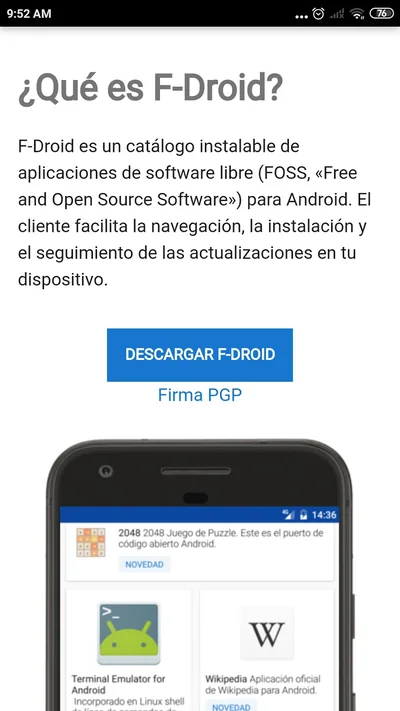
Use F-Droid or the official Termux GitHub releases, following the current installation instructions T1. The project also documents a separate experimental Google Play branch. For this guide, use one of the main project’s documented installation sources.
- Install F-Droid from its official website, if you choose that route.
- Let its repository index refresh, then install Termux from the official F-Droid repository.
- Open Termux and wait for its initial environment setup.
- Keep Termux and any companion plugins from the same signing source. Back up before changing sources; do not uninstall an existing working environment merely to follow this guide.
Run in native Termux:
pkg update
pkg upgrade
Read package-manager prompts, especially configuration-file changes. If mirrors fail or the original no mirror or mirror group selected message appears, choose an available official mirror and retry:
termux-change-repo
pkg update
Keep Android’s date/time correct for HTTPS. Do not work around a certificate error with insecure download flags or unrelated package repositories.
Configure a workspace that can execute programs
Install the general development tools in native Termux:
pkg install git clang cmake ninja make python curl jq unzip tmux openssh procps coreutils
mkdir -p "$HOME/projects" "$HOME/models" "$HOME/src"
cd "$HOME/projects"
Keep source trees, virtual environments, executables and active model files under Termux’s private home. Android shared storage has different permissions and filesystem behavior; it is useful for exchange and backups, but is a poor place to build a Unix source tree. Losing the Termux app data can also lose this home, so backup is part of the workflow.
To exchange files with Android, run this once and grant the requested storage access:
termux-setup-storage
ls "$HOME/storage/shared"
The shared Downloads directory is normally available at ~/storage/shared/Download. Android permission behavior can vary by version. Granting access does not convert shared storage into the native Termux filesystem.
Record basic diagnostics:
termux-info
uname -m
getconf LONG_BIT
getprop ro.product.model
getprop ro.build.version.release
getprop ro.soc.model
free -h
df -h "$HOME"
For this path, expect a 64-bit ARM userspace, normally reported as aarch64 and 64. A missing or restricted Android property is not a reason to invent its value; use the device settings and record what the commands actually return.
A physical USB-C or Bluetooth keyboard makes editing more comfortable. Set its layout in Samsung’s physical-keyboard settings to match the keys you actually use. A mouse, USB-C hub and external monitor are optional. Samsung lists the S24+ among supported DeX devices, but the connection method depends on the software and accessories T5; DeX changes the display workflow, not the inference backend.
The old tutorial forced LC_ALL=en_US.UTF-8 persistently. That is unnecessary for this native path and can create misleading locale assumptions. Check Python’s actual encoding instead:
python -c 'import locale, sys; print(locale.getpreferredencoding(False)); print(sys.stdout.encoding)'
Compile C++ and use Python
Verify the toolchain before adding a model runtime:
clang++ --version
cmake --version
python --version
git --version
The downloadable examples include this complete C++20 program as hello.cpp. It computes a small dot product; it is a toolchain check, not a performance benchmark. If you save the archive to Android’s Downloads directory, import it into the private workspace:
mkdir -p "$HOME/projects/termux-lab"
unzip "$HOME/storage/shared/Download/termux-examples.zip" -d "$HOME/projects/termux-lab"
cd "$HOME/projects/termux-lab/termux-examples"
Use the actual downloaded filename if Android renamed it. The archive’s .sh files are standalone Bash scripts; run them with bash filename.sh. This keeps any set -euo pipefail settings inside that script process rather than changing the interactive shell. The following blocks show their contents so the operations can be reviewed before execution.
#include <array>
#include <iostream>
#include <numeric>

int main() {
    constexpr std::array<float, 3> a{1.0F, 2.0F, 3.0F};
    constexpr std::array<float, 3> b{4.0F, 5.0F, 6.0F};
    const float dot = std::inner_product(a.begin(), a.end(), b.begin(), 0.0F);
    std::cout << dot << '\n';
    return dot == 32.0F ? 0 : 1;
}
Alternatively, save the code as hello.cpp in a private project directory. From the directory containing that file:
clang++ -std=c++20 -O2 -Wall -Wextra -Wpedantic hello.cpp -o hello
./hello
The expected result is 32. A successful build verifies this small native program, not compatibility with every desktop C++ library. Platform-specific system calls and dependencies still need Android-compatible implementations.
For scientific Python, prefer the prebuilt Termux packages for these compiled dependencies:
pkg install python-numpy python-scipy matplotlib
python - <<'PY'
import numpy as np
import scipy
a = np.array([[1, 2, 3]], dtype=np.float32)
b = np.array([[4], [5], [6]], dtype=np.float32)
print(a @ b)
print("NumPy:", np.__version__, "SciPy:", scipy.__version__)
PY
This should print a matrix containing 32 and the installed versions. NumPy in a separate virtual environment will not automatically see packages installed for the system interpreter; keep that distinction explicit. Installing a desktop manylinux wheel into native Termux is not a general substitute for the Termux package. Avoid replacing package-managed pip with an indiscriminate pip upgrade.
Install llama.cpp natively
llama.cpp provides C/C++ inference tooling and supports an Android/Termux path T2. Termux also maintains a native llama-cpp package T3, which is the shortest starting point here.
Run in native Termux:
pkg update
pkg upgrade
pkg install llama-cpp curl python
dpkg-query -W -f='${Package} ${Version}\n' llama-cpp
command -v llama-cli llama-server
llama-cli --version
llama-server --help
The package recipe inspected for this revision uses llama.cpp v1.0.0. Termux is a rolling distribution, so the version delivered by a mirror may change. Record the actual version and read the installed help before reusing flags from a different release. If the package is missing, refresh/select a current mirror first; the optional source-build section provides a separate route.
No Ubuntu environment is required for the native package. The commands below use its installed llama-cli and llama-server executables. A locally compiled source tree has separate paths and does not automatically replace those programs in PATH.
Download and verify a small GGUF model
Start with Qwen2.5-0.5B-Instruct, in the official Qwen Q4_K_M GGUF file. This is a small model for functional testing, not a claim that half-billion-parameter inference replaces a larger coding model. Its instruction tuning and embedded metadata support a conversational workflow; model answers still need technical review T6.
The pinned artifact is:
| Field | Value |
|---|---|
| Repository | Qwen/Qwen2.5-0.5B-Instruct-GGUF |
| Revision | 9217f5db79a29953eb74d5343926648285ec7e67 |
| File | qwen2.5-0.5b-instruct-q4_k_m.gguf |
| File bytes | 491400032 — approximately 469 MiB |
| SHA-256 | 74a4da8c9fdbcd15bd1f6d01d621410d31c6fc00986f5eb687824e7b93d7a9db |
This size describes the file, not peak application RAM. Downloading requires network access and free storage. Once the model and runtime are present, the local CLI and local API path can operate without an inference service on another machine.
Run bash download-model.sh in native Termux: the shared script downloads to a temporary file, checks the pinned hash and installs the final file only after verification succeeds.
set -euo pipefail
MODEL_DIR="${TERMUX_MODEL_DIR:-$HOME/models}"
MODEL_FILE="qwen2.5-0.5b-instruct-q4_k_m.gguf"
MODEL_REV="9217f5db79a29953eb74d5343926648285ec7e67"
MODEL_SHA="74a4da8c9fdbcd15bd1f6d01d621410d31c6fc00986f5eb687824e7b93d7a9db"
MODEL_URL="https://huggingface.co/Qwen/Qwen2.5-0.5B-Instruct-GGUF/resolve/$MODEL_REV/$MODEL_FILE"
mkdir -p "$MODEL_DIR"
if ! curl --fail --location --retry 3 --output "$MODEL_DIR/$MODEL_FILE.part" "$MODEL_URL"; then
  printf '%s\n' 'Download failed; the partial file has not been promoted.' >&2
  exit 1
fi
if ! printf '%s  %s\n' "$MODEL_SHA" "$MODEL_DIR/$MODEL_FILE.part" | sha256sum --check -; then
  printf '%s\n' 'Checksum failed; the partial file has not been promoted.' >&2
  exit 1
fi
mv -- "$MODEL_DIR/$MODEL_FILE.part" "$MODEL_DIR/$MODEL_FILE"
A failed HTTP request or hash mismatch is a failed download, not a usable model. Check the URL, available space and connection, then retry. Do not rename an incomplete download to .gguf to bypass verification. A matching hash establishes correspondence with this pinned artifact; it does not guarantee model quality or the truth of generated answers.
Run inference and a terminal conversation
First make one bounded request. The command sets the model path again so it also works in a fresh Termux session:
llama-cli \
  -m "$HOME/models/qwen2.5-0.5b-instruct-q4_k_m.gguf" \
  --device none -ngl 0 -t 4 -c 2048 -n 128 --single-turn \
  -p "Explain cache locality in two sentences."
The settings are a conservative starting configuration for testing, not measured optimums:
-ngl 0: zero GPU layers, selecting the CPU baseline.-t 4: start with four inference threads; heterogeneous phone cores do not imply that using every core is best.-c 2048: a bounded context budget, shared by input and generated tokens.-n 128: cap generated tokens for this invocation.--single-turn: complete one prompt and exit rather than keeping an interactive session.
To continue as an interactive conversation, omit the single-turn option and initial prompt:
MODEL="$HOME/models/qwen2.5-0.5b-instruct-q4_k_m.gguf"
llama-cli -m "$MODEL" --device none -ngl 0 -t 4 -c 2048 -n 128
Follow the installed CLI’s input/exit instructions; stop the process with Ctrl+C when finished. Recent CLI and completion tools do not necessarily accept the same conversation switches. This guide does not blindly add older -cnv recipes to the v1.0.0 CLI.
Inspect the startup log for the loaded model, context, threads and backend. Seeing an answer is the functional checkpoint. Record errors rather than interpreting a partial load or a memory allocation as successful inference.
Start a local HTTP server
Use a second Termux session, or a tmux session, for the server. Stop another process already using port 8080 or choose another port consistently. The server runs on the phone and binds to loopback:
llama-server \
  -m "$HOME/models/qwen2.5-0.5b-instruct-q4_k_m.gguf" \
  --alias phone-local --host 127.0.0.1 --port 8080 \
  --device none -ngl 0 -t 4 -c 2048 -n 128 -np 1
--alias phone-local gives requests a stable model identifier. -np 1 limits the server to one parallel slot for this baseline. The explicit CPU/context/thread settings make the test easier to reproduce T7.
From another Termux session, check readiness and model discovery:
curl --fail --silent --show-error http://127.0.0.1:8080/health
curl --fail --silent --show-error http://127.0.0.1:8080/v1/models | jq .
A loading server can return a non-success readiness status. Wait for successful initialization before sending a completion. Inspect the server terminal if it exits. Then submit a small nonstreaming request:
curl --fail --silent --show-error \
  http://127.0.0.1:8080/v1/chat/completions \
  -H 'Content-Type: application/json' \
  --data '{"model":"phone-local","messages":[{"role":"user","content":"Explain cache locality in two sentences."}],"max_tokens":128,"temperature":0.2,"stream":false}' | jq .
Open http://127.0.0.1:8080 in the phone’s browser if the installed server build includes its web UI. The API checks are the reproducible baseline; a browser page alone does not show that model generation has completed.
Loopback keeps this example on the device. Do not change the host to 0.0.0.0 as a routine troubleshooting step: that changes network exposure. Stop the server with Ctrl+C in its terminal. If restarting gives an address-in-use error, inspect the existing session rather than starting additional copies that compete for RAM.
Use the local model from Python
The downloadable chat_client.py uses Python’s standard library, so this client needs no additional pip package. Its core function is included directly from the same source that the local tests exercise:
"""Small nonstreaming client for a local llama.cpp-compatible chat endpoint."""
import json
import math
from urllib.error import HTTPError, URLError
from urllib.parse import urlsplit
from urllib.request import HTTPRedirectHandler, ProxyHandler, Request, build_opener


class NoRedirect(HTTPRedirectHandler):
    def redirect_request(self, request, response, code, message, headers, new_url):
        return None


def request_chat(base_url, model, prompt, max_tokens=128, timeout=120.0):
    """Return text/finish_reason/usage; no downloads or inference run in this client."""
    url = urlsplit(base_url)
    if (url.scheme not in {"http", "https"}
            or url.hostname not in {"127.0.0.1", "localhost", "::1"}
            or url.username is not None or url.password is not None
            or url.query or url.fragment or url.path.rstrip("/") != "/v1"):
        raise ValueError("Use a loopback HTTP(S) base URL ending in /v1")
    if not isinstance(model, str) or not model.strip():
        raise ValueError("model must be a nonempty served model ID or alias")
    if not isinstance(prompt, str) or not prompt.strip():
        raise ValueError("prompt must be a nonempty string")
    if isinstance(max_tokens, bool) or not isinstance(max_tokens, int) or max_tokens <= 0:
        raise ValueError("max_tokens must be a positive integer")
    if (isinstance(timeout, bool) or not isinstance(timeout, (int, float))
            or not math.isfinite(timeout) or timeout <= 0):
        raise ValueError("timeout must be a finite positive number")
    payload = {"model": model, "messages": [{"role": "user", "content": prompt}],
               "max_tokens": max_tokens, "temperature": 0, "stream": False}
    request = Request(base_url.rstrip("/") + "/chat/completions",
                      data=json.dumps(payload, ensure_ascii=False).encode("utf-8"),
                      headers={"Content-Type": "application/json"}, method="POST")
    # Local requests ignore environment proxy settings and never follow redirects.
    opener = build_opener(ProxyHandler({}), NoRedirect())
    try:
        with opener.open(request, timeout=timeout) as response:
            raw = response.read(1024 * 1024 + 1)
            if len(raw) > 1024 * 1024:
                raise RuntimeError("Response exceeds this example's 1 MiB limit")
        data = json.loads(raw.decode("utf-8"))
        choice = data["choices"][0]
        text = choice["message"]["content"]
        if not isinstance(text, str):
            raise ValueError("Expected a text-only chat response")
        return {"text": text, "finish_reason": choice.get("finish_reason"),
                "usage": data.get("usage")}
    except HTTPError as error:
        raise RuntimeError(f"Local server returned HTTP {error.code}; inspect its logs") from error
    except (URLError, TimeoutError) as error:
        raise RuntimeError("Cannot reach the local server, or its response timed out") from error
    except (UnicodeError, ValueError, KeyError, IndexError, TypeError) as error:
        raise RuntimeError("Local server did not return the expected chat JSON") from error
The complete file supplies imports, argument parsing and error reporting. Run it from the extracted examples directory, while the phone’s llama-server is ready:
python chat_client.py \
  --base-url http://127.0.0.1:8080/v1 \
  --model phone-local \
  --prompt "Explain why a larger context uses more memory."
The client is intentionally limited to loopback endpoints for this tutorial. Tests use a local mock HTTP server to verify the request path, payload, UTF-8 handling and error cases. Those tests validate client behavior, not the numerical output of a real model. A connection refusal means no process accepted the connection; a model-loading HTTP error is a different failure and should be reported separately.
Tune memory, context and CPU use
The S24+’s 12 GB are shared with Android and other applications. A quantized weight file is only one part of runtime memory. Model metadata, dequantization/computation buffers, KV cache, application libraries and temporary allocations also contribute. Mapping weights from a file does not make their active memory free.
For scale, an unquantized 0.5-billion-parameter array would use roughly 2 GB at four bytes per parameter, before other storage. A Q4_K_M GGUF mixes quantization formats and metadata, so parameters × 4 bits is not an exact prediction of either its file size or RAM usage.
KV cache grows with retained tokens. A useful simplified storage model is 2 × layers × tokens × KV_heads × head_dimension × bytes_per_cache_element; the two accounts for keys and values. The actual allocation depends on architecture, padding, cache type and runtime implementation. Weight quantization does not automatically mean the KV cache is four-bit too.
Use a controlled tuning sequence:
- Establish one successful response with the pinned small model, CPU-only, four threads, context 2048 and one server slot.
- If memory is tight, retry context 1024 and close unrelated large applications before considering a larger model.
- Compare two and four threads with the same model, prompt and generation cap. More threads can increase contention and heat.
- Change one variable at a time. Keep the original working command and log for comparison.
Inspect the device while the process runs:
free -h
top
pgrep -af 'llama-cli|llama-server'
top is interactive; use its exit key when finished. Available memory and process visibility are subject to Android’s permissions and lifecycle management. A process killed by the system is not proof of a C++ bug, and a single fast run is not sustained performance evidence.
If the installed package includes the benchmark tool, inspect its version-specific help before a small test:
llama-bench --help
llama-bench -m "$HOME/models/qwen2.5-0.5b-instruct-q4_k_m.gguf" \
  -ngl 0 -t 2,4 -p 128 -n 32 -r 3
The benchmark separates prompt processing and token generation; neither number is identical to end-to-end chat latency. Record runtime/model revisions, hash, threads, context, prompt/output counts, repetitions, temperature/device state and whether weights were already cached. Repeat after the phone warms up if sustained behavior matters. No benchmark rate is supplied here because this S24+ has not been measured for the article.
Manage sessions, heat and battery
tmux keeps a terminal session organized while switching between Android apps. It cannot guarantee that Android will preserve a process under memory pressure.
tmux new -s phone-ai
Run the server in that session. Detach with Ctrl+B, then D. Return later with:
tmux attach -t phone-ai
For an intentionally active computation, Termux provides a wake-lock command. Release it when the job is finished:
termux-wake-lock
# Run the intended active job.
termux-wake-unlock
These are manual lifecycle controls, not a way to prevent every Android termination or thermal limit. Battery settings and sleeping-app menus differ between One UI releases. Prefer short initial runs, check the phone’s temperature behavior and stop when the device reports a thermal warning. Running a long compile, inference and charging together changes the thermal conditions and makes comparisons harder to interpret.
Optional: build llama.cpp from C++ source
Use this section when you want to inspect or modify the runtime, or when the native package is unavailable. It is an alternative to the package path, not a requirement for the first inference. Keep free storage for source, build products and dependencies.
The pinned build selects a conservative ARM CPU baseline, disables GPU backends and uses two build jobs to limit compilation pressure. Disabling OpenSSL here means model downloads remain a separate curl step. These choices prioritize an understandable baseline rather than claiming the fastest Exynos instruction configuration.
Run bash llama-source-build.sh in native Termux, using a location without its existing llama-cpp-v1.0.0 checkout:
set -euo pipefail
pkg install git clang cmake ninja libandroid-spawn
mkdir -p "$HOME/src"
cd "$HOME/src"
git clone --depth 1 --branch v1.0.0 https://github.com/ggml-org/llama.cpp.git llama-cpp-v1.0.0
cd llama-cpp-v1.0.0
git rev-parse HEAD
cmake -S . -B build -G Ninja \
  -DCMAKE_BUILD_TYPE=Release \
  -DGGML_NATIVE=OFF -DGGML_CPU_ARM_ARCH=armv8-a \
  -DGGML_OPENMP=OFF -DGGML_LLAMAFILE=OFF \
  -DGGML_CUDA=OFF -DGGML_VULKAN=OFF -DGGML_OPENCL=OFF \
  -DLLAMA_OPENSSL=OFF -DLLAMA_SUBPROCESS=OFF -DLLAMA_BUILD_TESTS=OFF
cmake --build build --parallel 2 --target llama-cli llama-server
./build/bin/llama-cli --version
./build/bin/llama-server --help
Use ./build/bin/llama-cli or ./build/bin/llama-server from that checkout when testing this build. The corresponding package executables remain separate. Record git rev-parse HEAD, the CMake cache/options and compiler version. A binary compiled on a desktop Linux machine for the wrong libc is not an Android build merely because both machines are ARM64.
If an optimized build produces an illegal-instruction error, preserve its log and exact build configuration. Verify the selected architecture and runtime dispatch before enabling more ISA extensions. Do not infer CPU BF16, GPU or NPU support from the phone’s product name alone.
Optional: add an Ubuntu userland
Native Termux is sufficient for the preceding llama.cpp workflow. For development software that expects Ubuntu’s glibc environment, PRoot-Distro supplies an optional separate userspace T4.
In native Termux: current PRoot-Distro uses OCI image references. Check the installed help if an older version has a different interface.
pkg install proot-distro
dpkg-query -W proot-distro
proot-distro --help
proot-distro install ubuntu:24.04
proot-distro login ubuntu
Inside the Ubuntu shell:
cat /etc/os-release
apt update
apt install python3 python3-venv build-essential git
python3 --version
exit
After exit, you are back in native Termux. Use Ubuntu’s apt inside Ubuntu and Termux’s pkg outside it. PRoot’s apparent root user is not Android root; it does not provide a new kernel, ordinary Docker isolation, systemd boot or access to otherwise unavailable GPU drivers. Keeping environments distinct prevents many misleading installation failures.
Backup source and record a reproducible setup
Back up the work you create, not just a screenshot of the terminal. After enabling shared-storage access, this command archives ~/projects into Android’s Downloads directory:
tar -czf "$HOME/storage/shared/Download/termux-projects-$(date +%F).tar.gz" \
  -C "$HOME" projects
This archive may contain private project content; choose where to keep or share it accordingly. It does not include SSH keys or all application data. Keep important source in an appropriate version-control/backup workflow as well. A model can be downloaded again from its pinned URL, while uncommitted personal work may be irreplaceable.
For a setup record:
mkdir -p "$HOME/projects/termux-record"
termux-info > "$HOME/projects/termux-record/termux-info.txt"
pkg list-installed > "$HOME/projects/termux-record/packages.txt"
llama-cli --version > "$HOME/projects/termux-record/llama-version.txt" 2>&1
sha256sum "$HOME/models/qwen2.5-0.5b-instruct-q4_k_m.gguf" \
  > "$HOME/projects/termux-record/model.sha256"
Keep raw command output and runtime logs alongside any later performance claim. For routine administration, the installed OpenSSH client also supports the original phone-as-workstation use case; authenticate to your own hosts with their normal verified host-key and key-management workflow.
Troubleshooting by failure stage
| Symptom | Next check |
|---|---|
Unable to locate package llama-cpp |
Refresh indexes, select a current Termux mirror and inspect package availability; use the pinned source path if needed. |
Permission denied when running a program |
Check whether the build is on Android shared storage; build under Termux home. |
| GGUF load or hash error | Verify the pinned file/hash, not an HTML error page or partial download. |
| Process abruptly disappears / signal 9 | Inspect memory/context and Android lifecycle pressure; reduce the workload before retrying. |
| Illegal instruction | Record version, ISA/build flags and CPU dispatch; compare the conservative source build. |
/health fails / connection refused |
Inspect server startup, port and process state; wait until model initialization succeeds. |
| API says model not found | Use the configured alias phone-local, and inspect /v1/models. |
| Address already in use | Find the existing server/session or consistently choose another loopback port. |
| Much slower after several requests | Record thermal state, thread count and other active jobs; compare sustained runs. |
| Command exists only in one shell | Check whether you are in native Termux, Ubuntu, or a source build directory. |
Fix the stage that failed. Increasing the model size, enabling extra backends or changing package sources at the same time makes diagnosis less reliable.
Verification checklist and limits
A complete on-device check should establish these observable results:
- Native 64-bit Termux diagnostics and recorded tool/runtime versions.
- The small C++ example returns
32; scientific Python imports its installed packages. - The GGUF matches the pinned SHA-256.
- The CLI loads the intended CPU model and completes a bounded response.
- The server becomes healthy; model discovery and a chat request succeed on loopback.
- The Python client prints response text, with error cases distinguishable from success.
- A second session/tmux reattachment works, and the CPU/context configuration is retained in the run record.
The tutorial’s shell syntax, shared examples, local mock-client behavior, bilingual pages and browser rendering can be checked in the portfolio’s development environment. Android package installation, an actual model run, thermals, throughput and battery behavior require the real phone. They remain unmeasured here.
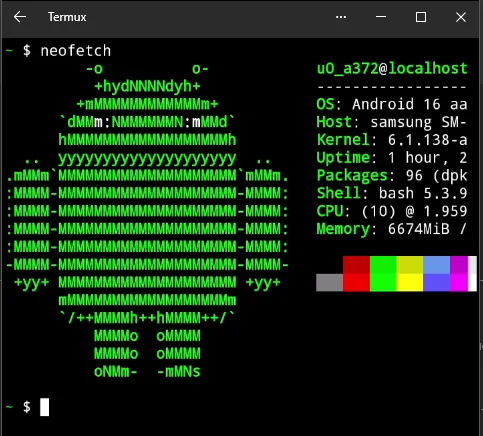
The original system-information image is retained as a historical illustration, not evidence that the current llama.cpp configuration has run on this S24+:
Sources and downloadable examples
Prefer the versioned runtime links when reproducing this guide; package repositories and device software can change.
- Termux project. Official installation and Android environment documentation, including source/signature compatibility and the experimental Play branch.
- llama.cpp. Android/Termux documentation, v1.0.0, release and CMake configuration.
- Termux packages. llama-cpp package recipe, with Android dependencies and package build options.
- Termux. PRoot-Distro documentation, current OCI installation commands and limitations.
- Samsung. DeX-compatible devices and connection modes. Match your device/software/accessory configuration to the official support information.
- Qwen. Official Qwen2.5-0.5B-Instruct-GGUF repository and base instruction-model card. Artifact revision/hash are pinned above.
- llama.cpp. Server API and flags, v1.0.0 and argument definitions.
Download the shared command files, C++ example, Python client and client tests. The English and Spanish editions use the same source files and model artifact; labels and explanations are translated without changing the commands.